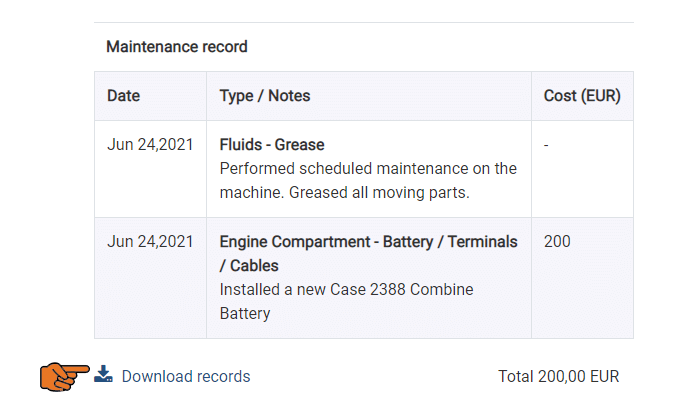
The IMS allows you to track regular maintenance that is performed on your equipment. Creating a maintenance record is an easy way to track costs and timeliness of equipment upkeep and repair.
Missing this feature? If your company's IMS instance does not have the maintenance records feature enabled you can request it to be enabled with the support button.
How do I create a maintenance record?
Follow this step-by-step guide
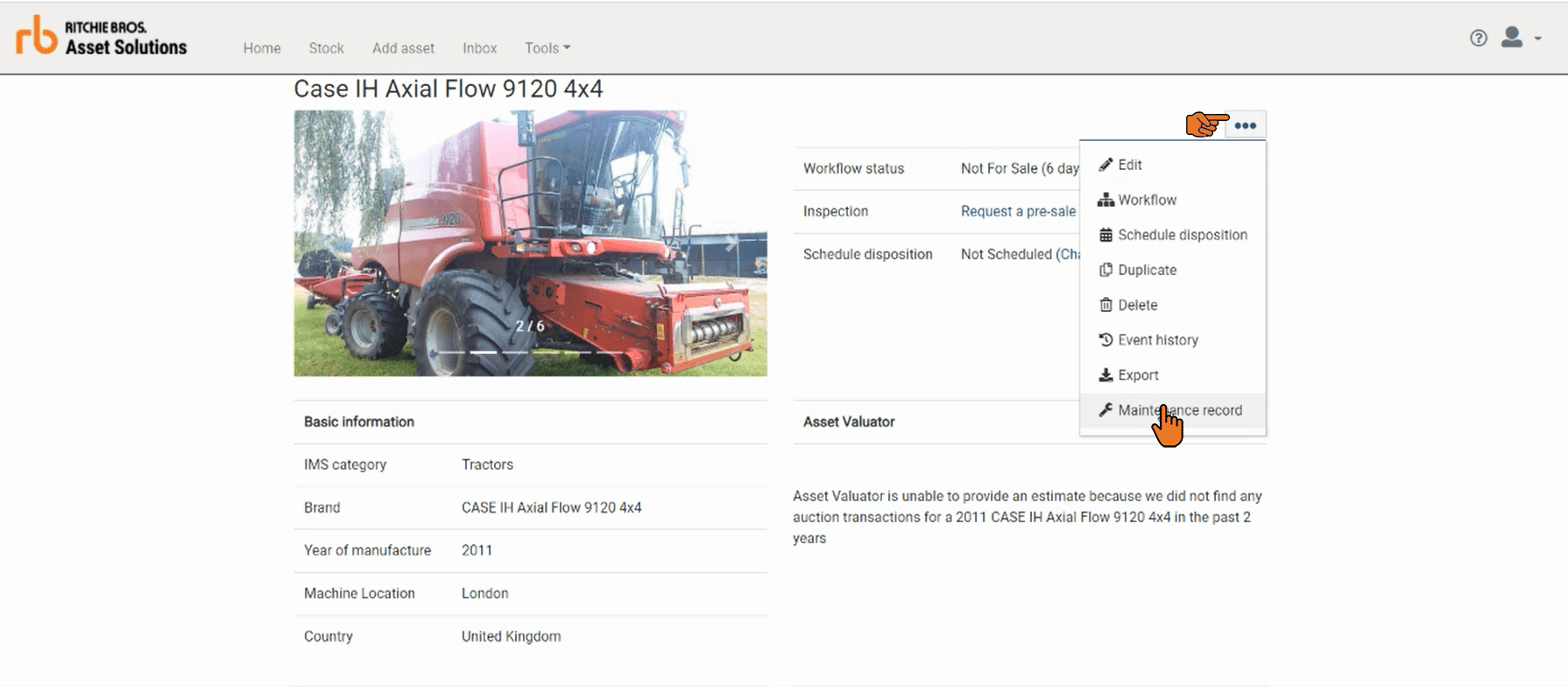
Step 1: Select the maintenance records option on an asset
Find the asset you which to add a record, then, in the right hand corner of a search result or an asset detail page click the ellipsis (...) button and select the Maintenance record option.
Step 2: Choose a type of service to add
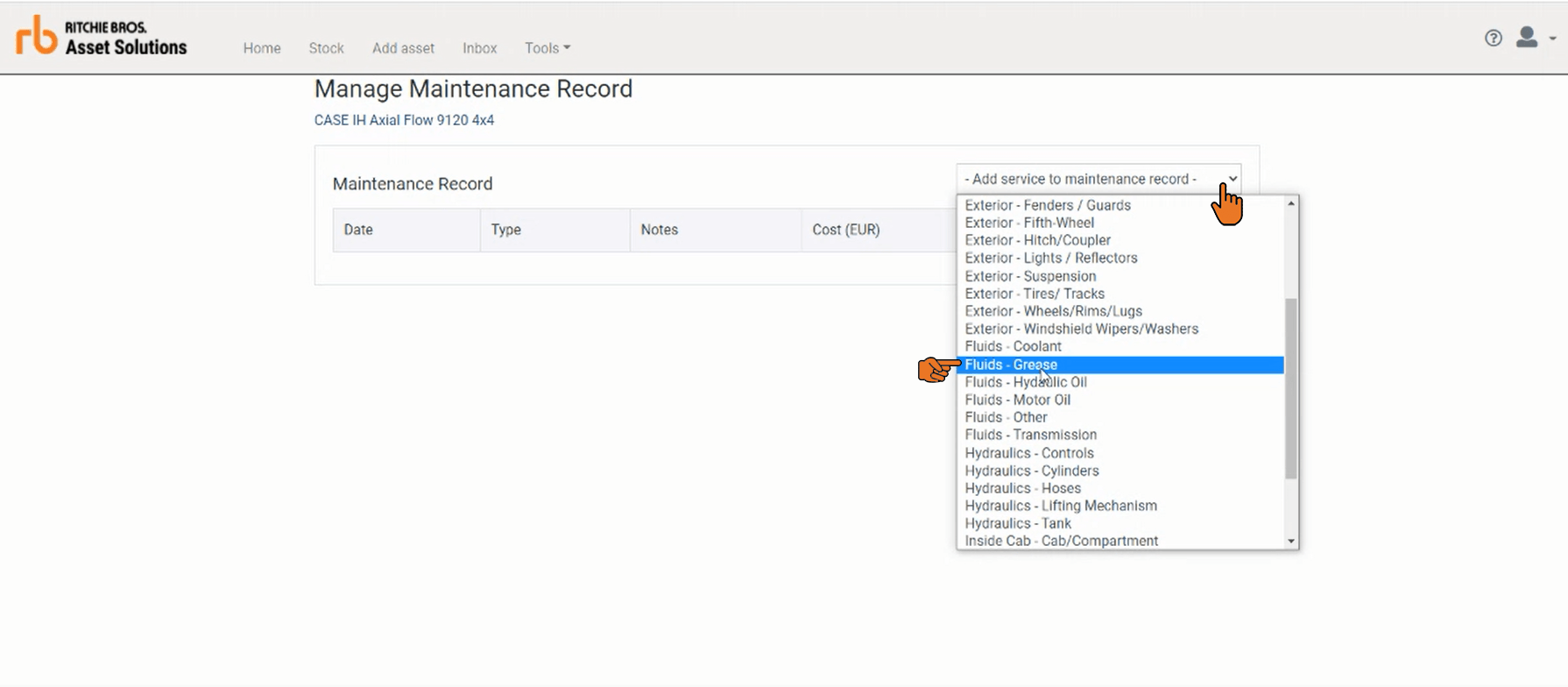
In the top right-hand corner of the maintenance record screen click add service to maintenance record. Then select the type of service record you wish to add. The menu is ordered by the area of the equipment in which the maintenance may be performed (e.g. Attachments, Engine Compartment, Exterior, Fluids, Hydraulics, Inside Cab and Safety Equipment)
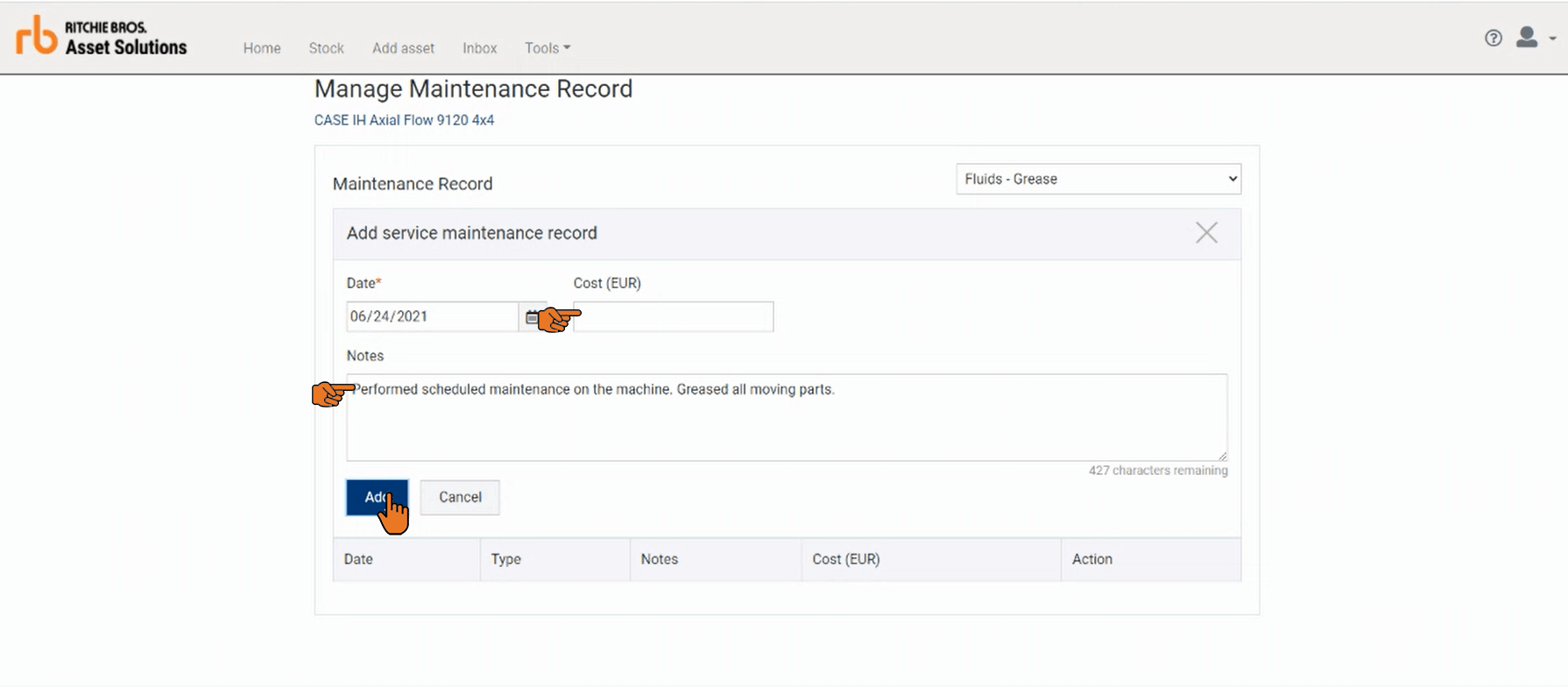
Step 3: Enter record detail
At a minimum, you are required to enter the date when the maintenance was performed.
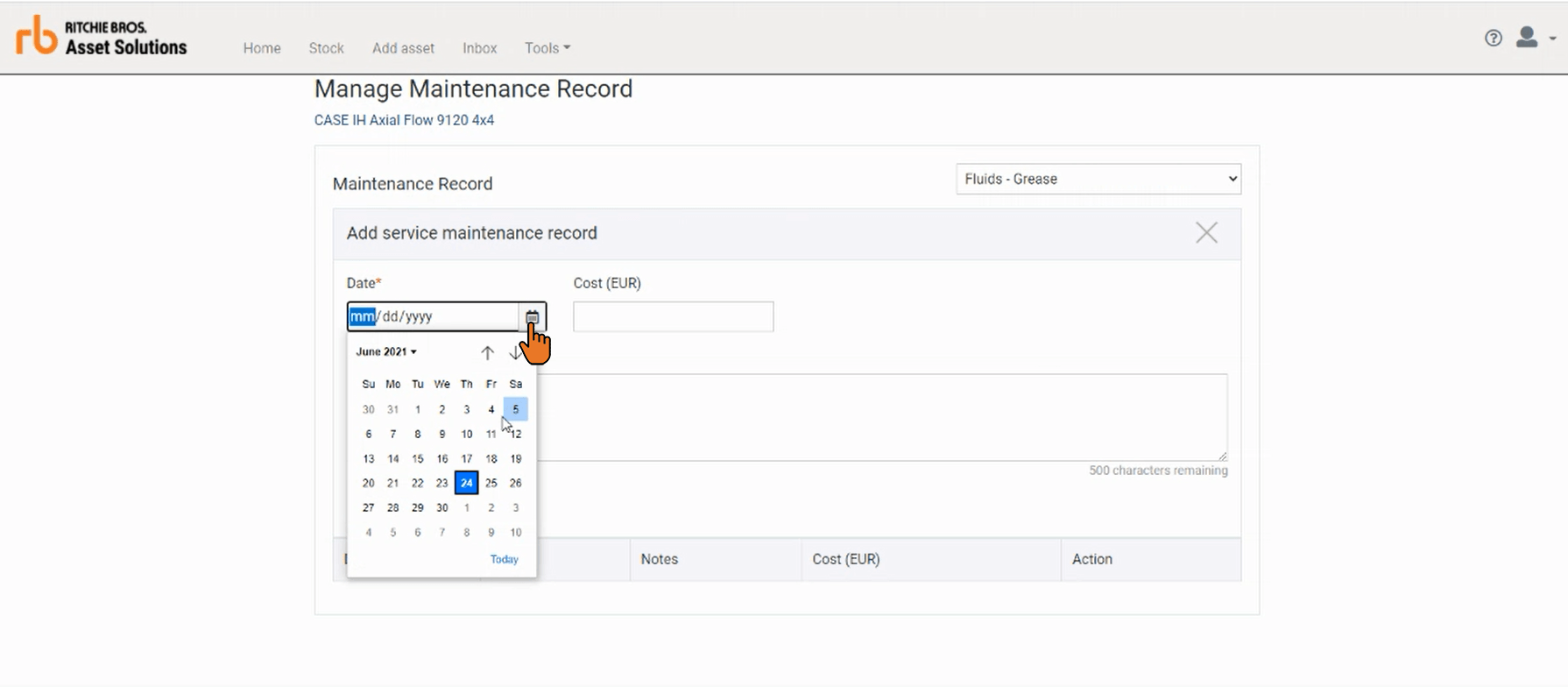
As an additional option, you can choose to capture the cost of the maintenance or enter a note of up-to 500 characters about the maintenance that was performed. To save your entry to the record click the Add button.
Step 4: Edit or remove an existing record
If you need to correct or remove a record you can click on the edit or remove icons. You will be asked if you want to confirm your changes.
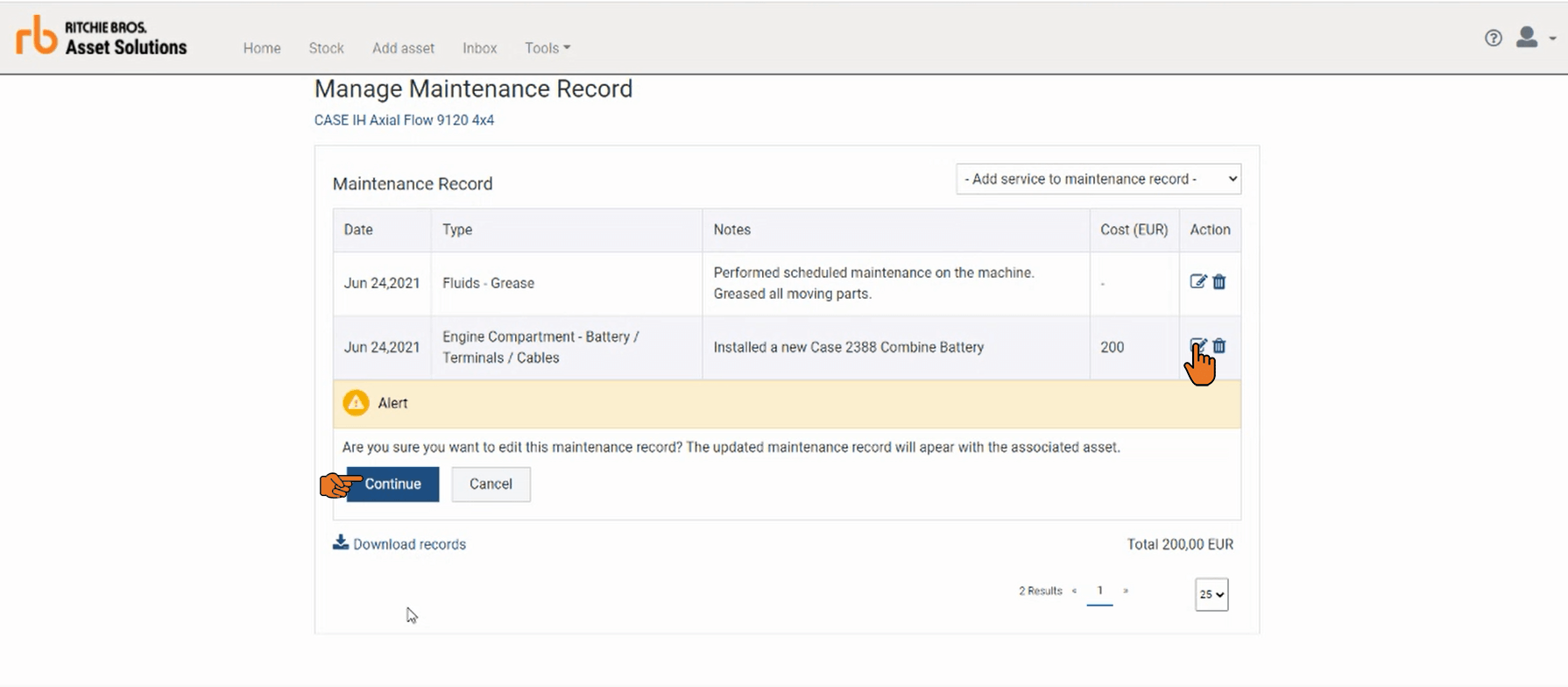
TIP: If you have more then 25 records entered on a asset you can use the pagination to view all the records you've entered or change the number of records displayed on the page.
Step 5: Download records to an Excel spreadsheet
If you wish to export your maintenance record for an asset you can do so by clicking the download reports link at the bottom of the table.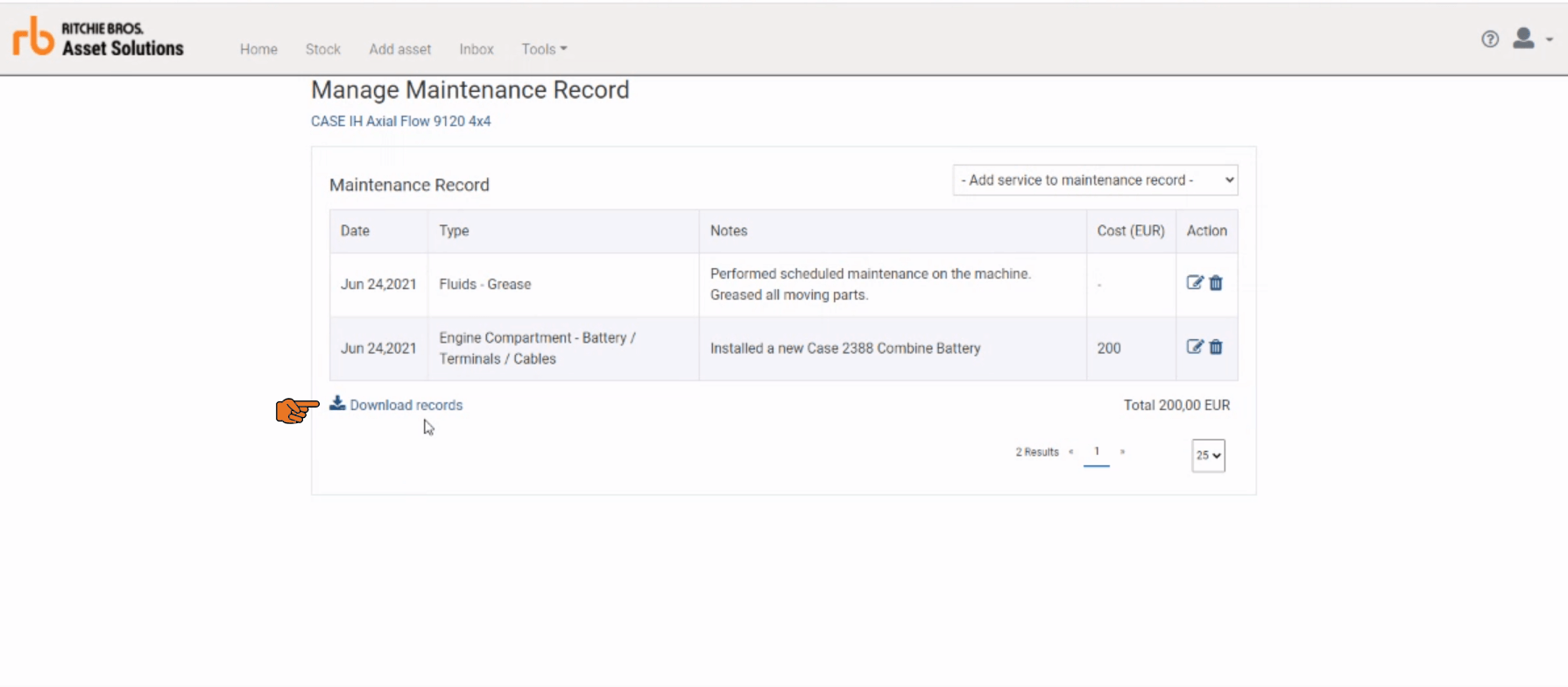
Some users may not have permission to add or edit maintenance records. Those users will be able to view and download the maintenance records from the bottom of the asset detail page.